1. Locate users Custom security attribute
2. Delete attribute cardId
3.Selelct Save
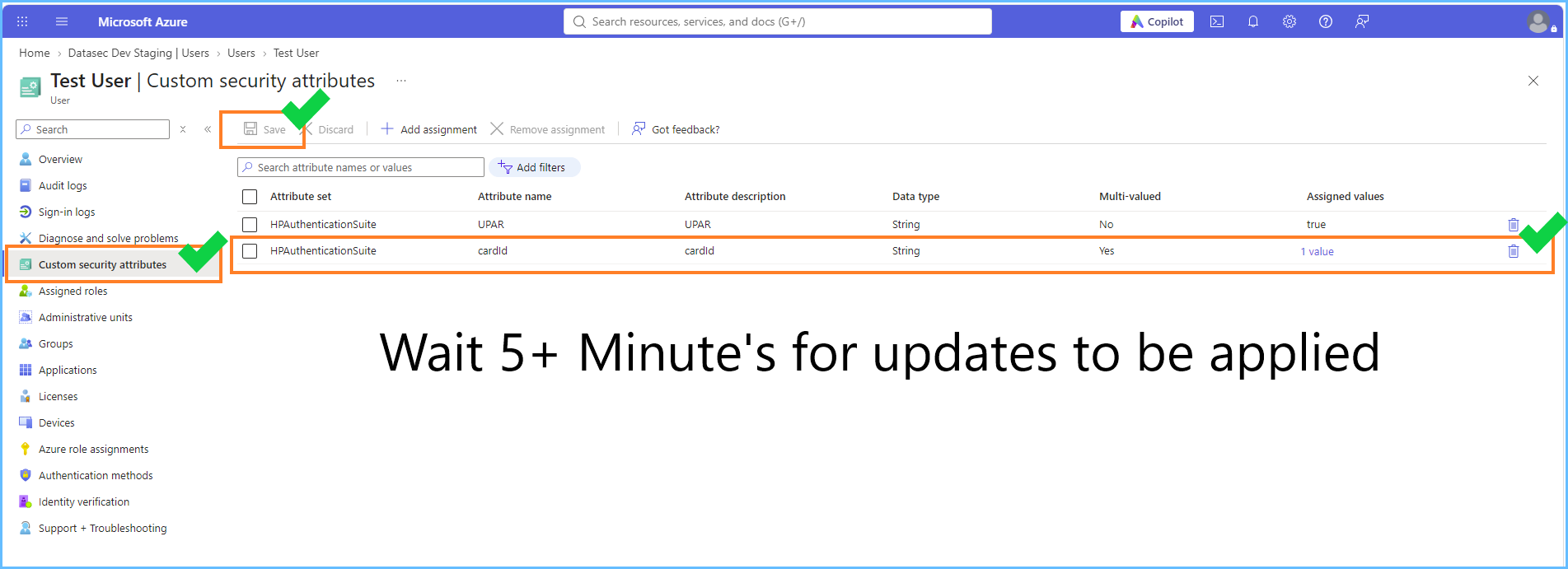
NOTE: When you delete the users cardID from their Custom security attributes, it can take up to 5
Minutes before the changes are propagated across Azure globally, therefore do not register the new
user until such time has passed.
The attribute cardId will be recreated automatically once a user registers a New Card.
FAQ
delete card id
Deleted cardid
remove cardid
remove card ID
Was this article helpful?
That’s Great!
Thank you for your feedback
Sorry! We couldn't be helpful
Thank you for your feedback
Feedback sent
We appreciate your effort and will try to fix the article