Updated 24th September 2026
Here is a list of Tested certified NCF & BLE (Bluetooth Low Energy)/Mobile Credential Card readers supported by HP Authentication Manager v4.> and our HP Secure Authentication Mobile Application v1.4.9 >.
The developers primarily support the PID & VID Numbers which as you can see span across some of the same Vendors, in particular the RFIdeas readers which some are rebranded to HP, and that's why some readers contain the same VID, Vendor ID, and PID - Product ID or Device ID as RFIdeas.
If you choose to use HP Secure Authentication Mobile app via the Bluetooth Option, then we only support the Wave ID PcProx Plus BLE/ Wave ID Mobile - RDR-305x1BxU, Elatec TWN4 Slim Readers and HP35H11B Mobile credentials.
HP have a number of Readers, many support the MFP8 Protocols, these readers are Keystroke based HID devices, however we have found that the X3D03A which is a MFP24 reader does work if they are reset to Factory defaults. It would be fair to say that all cards should support the minimum of providing a Static 32/56bit ID, therefore can be used by the listed readers.
Smart Card Support
The HP Authentication Manager application uses card readers that output keystrokes, essentially emulating a keyboard. Therefore, if you are using existing readers that support Legic, MIFARE, etc., the readers must be programmed to support ISO 14443A CSN protocols. Additionally, your existing cards need to support basic smartcard ID/ISO 14443A CSN formats. This could also include security fobs like some of the YubiKeys.
We now support the CypherCard Biometric SmartCard on Elatec TWN4 SLIM only readers and not TWN4 Nano. We also support Inepro Spider readers only, which securely reveals the card’s unique ID when a user authenticates via the built-in fingerprint sensor embedded onto the card.
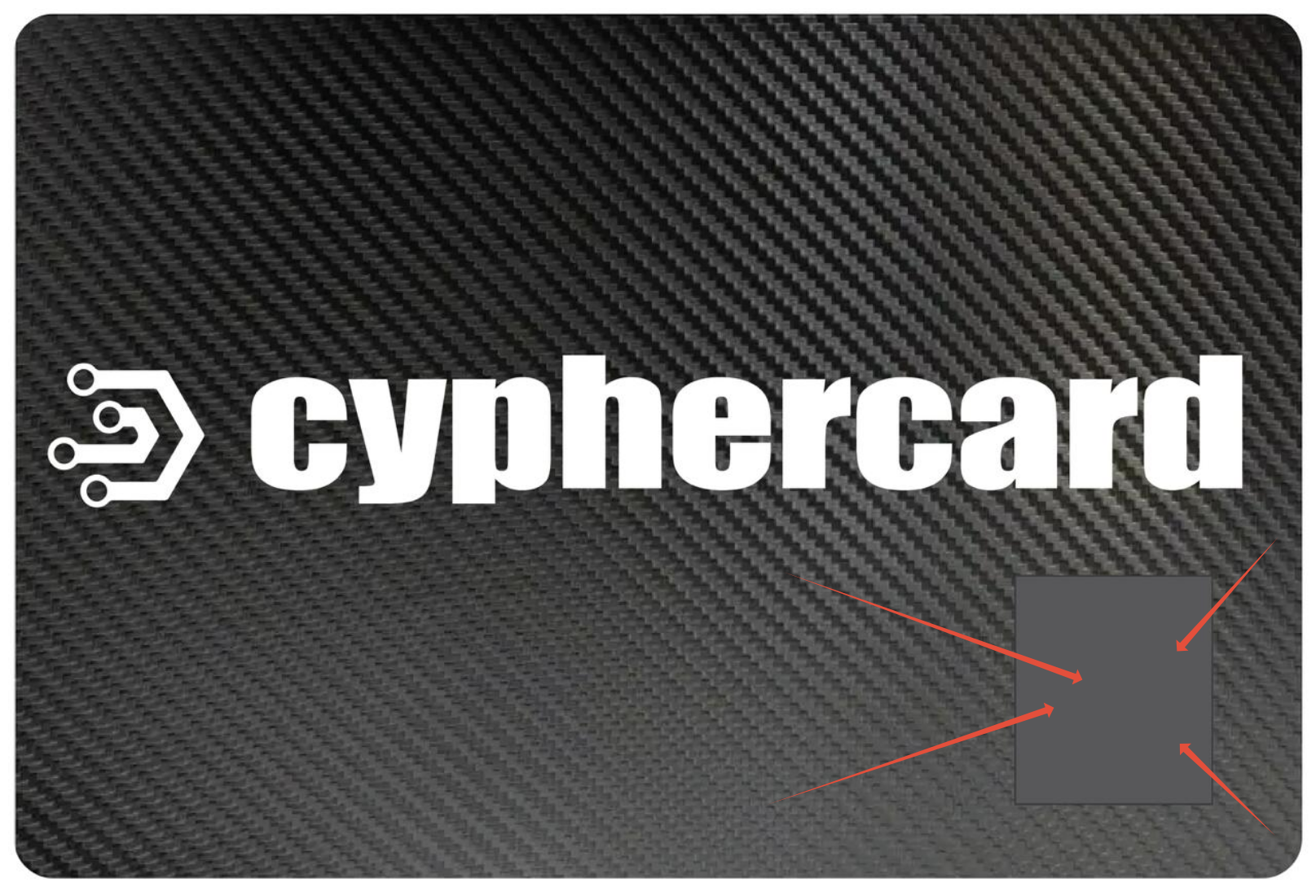
If you wish to Purchase our Cypher cards, we have a Number of options, please send email to sales@hpauthsuite.com requesting a formal Quote.
We have several options for you to consider, so please specify your preference.
1. Production Single use only cards - once a Biometric fingerprint has been registered by a user, it cannot be deleted and or reissued to another person
2. Visitor / Contractor Cards - These card can have the Biometrics Erased and Reset, so they can be issued to another user, Please note you will need to own 1 Elatec TWN4 Reader to perform the Factory Reset of Visitor cards, we will provide special Firmware to support the clearing of the Biometrics. These cards are hardcoded to match the the Special Firmware code supplied by us so they cannot be issued to more than one company.
3. Printing of Logo's etc.. We can provide limited Printing on the cards, else we can supply Blank White cards for you to organise Printing of your customers colours, Logos etc.
4. Delivery - Please specify the delivery location so we can quote appropriately
5. Minimum order Volume, typically 50, however we may be able to accommodate smaller orders, please reach out to Sales and let us know your volume requirements.
6. Deliver Schedules - Approximately 6-8 Weeks, however depending if we carry any suitable stock then 5-10 Days
Current Average cost for Blank Cypercards are approximately USD 25.00 each which does not include Freight, Duties and or Taxes
Our Basic Production Cards - White with Black Cyphercard Printed Text + Logo USD 25.00 Each which does not include Freight, Duties and or Taxes.
Special Note: Our Cypher cards support Biometric Unlock of the cards Static UUID and the cards can be used for Windows Hello FIDO2 support on compatible FIDO2 Readers. However if you have a need to also support other formats Like HID, etc.. for Door / Elevators, Building access etc then please feel free to discuss your needs with our sale team as we can add additional support over and above our Biometric UUID Unlock & FIDO2 cards support.
Feel Free to review the following Document on the latest Configuration settings, this includes the tools required to program your readers.(Click Here)
Tips
To minimise the number of Card IDs a user requires, it is essential that all Card/BLE readers are configured to output the exact same ID consistently across all devices. Failure to do so will result in users needing to register their cards or BLE credentials multiple times, leading to inefficiencies and user frustration. Cards that support 32/56Bit ID are ideally suited.
All Readers should be configured to support the Card Types/ Badges/QRCode/ Transponder and BLE/Mobile credentials specific to the customers needs and to support HP Authentication Manager and our HP Secure Authentication Mobile App. Seek advise on how best to configure your readers.
Most of the Readers support up to 4 Transponder types at once, for example you may want to support Our BLE Mobile credentials + Basic ISO14443A & Legic, or just BLE Mobile credentials or any combination. You can also use existing Transponder / Card types as most cards will just push a Basic ISO14443A UUID between 32-56 Bits Like Mifare Classic/ Legic etc. . You should always test to ensure you are producing consistent Card ID outputs. Listed below are common settings you can use to program your readers.
RFIDEAS
- Wave ID PcProx Plus BLE - RDR-30581BKU External USB Reader.
Hexadecimal VID=0C27, PID=3BFA, Decimal VID=3111, PID=15354 - BLE / Mobile Credentials Supported by HP Secure Authentication Mobile app
- Wave ID Mobile - RDR-30581BKU External USB Reader.
Hexadecimal VID=0C27, PID=3BFA. Decimal VID=3111, PID=15354 - BLE / Mobile Credentials Supported by HP Secure Authentication Mobile app
- Wave ID SP Plus Keyboard Black RDR-805H1AKU Micro USB
Hexadecimal VID=0C27, PID=3BFA. Decimal VID=3111, PID=15354 - No BLE Support, No CypherCard Support
- RFIdeas Model RDR-30Mx1CxU-MXS-HP USB
Hexadecimal VID=0C27,PID=3BFA. Decimal VID=3111, PID=15354 - No BLE Support, No CypherCard Support
HP Readers
- HP HIP2 MFP24 Universal Card Reader X3D03A / X3D03B
Hexadecimal VID=03F0,PID=0045, Decimal VID=1008, PID=69. No BLE Support, No CypherCard Support
- HP HIP2 Keystroke Reader Y7C05A / Y7C05B / 35H11A/35H11B
Hexadecimal VID=0C27, PID=3BFA, Decimal VID=3111, PID=15354, RFIdeas OEM Device. No BLE Support, No CypherCard Support
- HP HIP2 Keystroke Reader 35H11B
Hexadecimal VID=0C27, PID=3BFA, Decimal VID=3111, PID=15354, RFIdeas OEM Device. BLE / Mobile Credentials Supported by HP Secure Authentication Mobile appt, No CypherCard Support
Elatec TWN4 Reader
If you are looking for a Suitable Elatec Reader for your HP HIP2 Pocket integration, you can use the following
Product Code: T4QK-FC04ELA7-HP,
Item Description: TWN4 Slim - Standard - HP.
Approximately Price Euro 135.00 not including Freight / Taxes / Duties.
These kits include all cables and Cradles to support Both HIP2 and if you choose to mount directly onto the printer in a convenient location other than the HIP2 Pocket.
Hexadecimal VID =9D8, PID=410, Decimal VID = 2520, PID = 1040, BLE / Mobile Credential Supported by HP Secure Authentication Mobile app and Our NEW CypherCard Biometric Enabled SmartCard
Inepro Spider
Hexadecimal VID =1DA6, PID=0110, Decimal VID = 7590, PID = 272, ISO14443A Card Support includes support for our NEW CypherCard Biometric Enabled SmartCard ,
BLE Support only works when using the Inepro Mobile App (Spider ID)(we do not recommend using their BLE app) and therefore will not work with our HP Secure Authentication mobile app.
Inepro BLE support for HP Secure Authentication Mobile app is still under investigation
Omnikey 5427 Reader
Hexadecimal VID=76B,PID=428, Decimal VID =1899, PID =21455, ISO Formats
RFIdeas Reader Configuration Tools
For example, any of the RFIDeas Readers utilize a Windows Desktop application called PcProx Utility or rf IDEAS Configuration Utility v6.0.5, and under the SDK Option you will need to turn off (Disable Keystrokes for SDK) option.
If this is Enabled, then when you tap on a Card all you may get is a Beep sound and no values are passed to the Test Area and therefore to HP Authentication Manager.
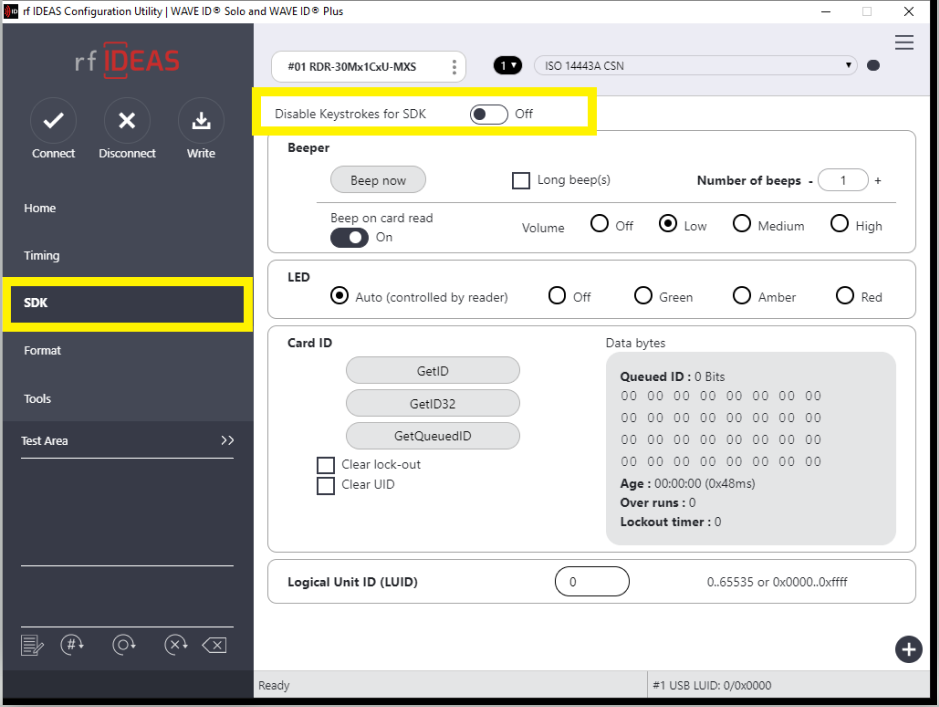
To configure the RFIDEAS Reader, the IT Manager must ensure it supports a variety of devices and cards, including Bluetooth Mobile Credentials. As shown below, this reader has Mobile Credentials and ISO 14443A CSN active, meaning it can accept HP Secure Authentication BLE and a basic NFC card. If you are using an existing reader, confirm that the BLE radio is active and that it supports Mobile Credentials.

Elatec Reader Configuration Tools
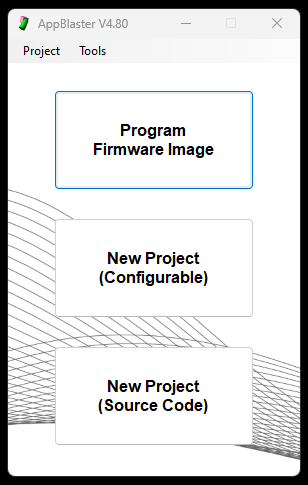
Elatec have their own Configuration application called AppBlaster. your administrator must configure the readers accordingly prior to installing onto the printer, this is done by connecting the reader into a Windows PC Via USB, Please ensure you have a suitable supported USB Cable.
Click this link Here on How to Program your Elatec TWN4 SLIM (Not Nano) Readers to support, BLE_Only, CyperCards_Only , BLE & CypherCards, BLE & Standard ISO14443A(UUID) 32/56Bit Cards.
HP Reader Configuration Tools
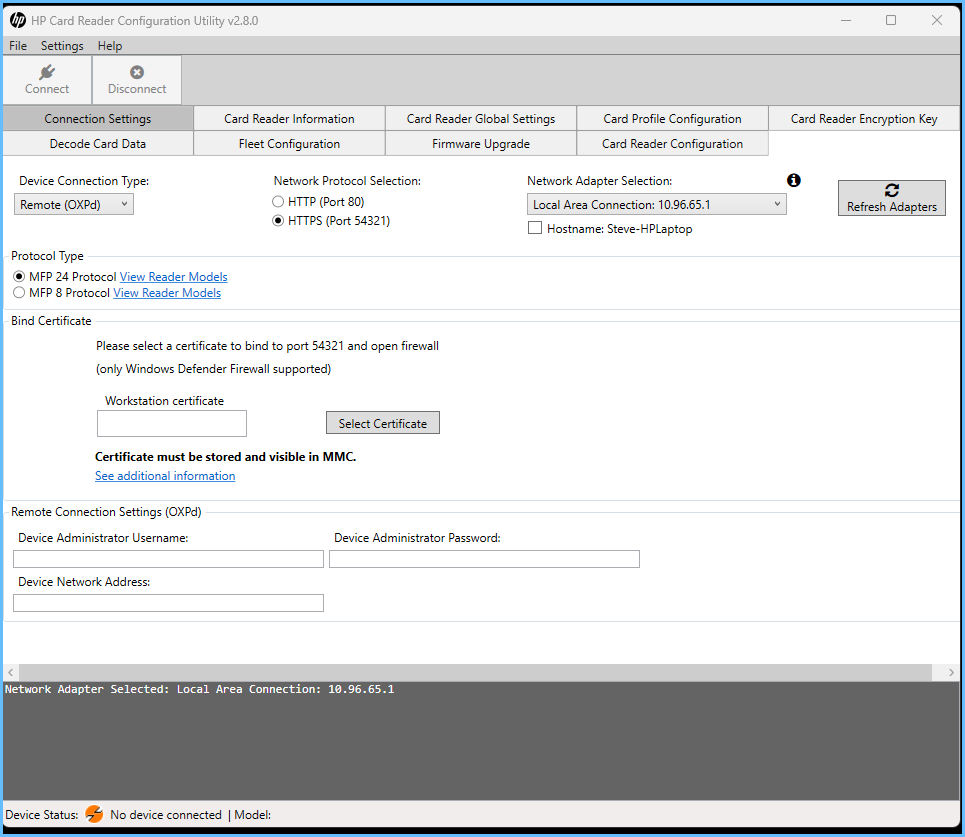
HP provides a Deployment Reader configuration tool that allows administrators to push out pre-configured reader settings. Using the RFIDEAS PCprox tool, you can create an HWG file for readers manufactured by RFIDEAS, which contains the reader configuration settings. These settings can then be imported and deployed using the HP Card Reader Configuration Utility V2.8 or later.
For Technical guidance, speak with your HP Rep
HP Reader Configuration Tools
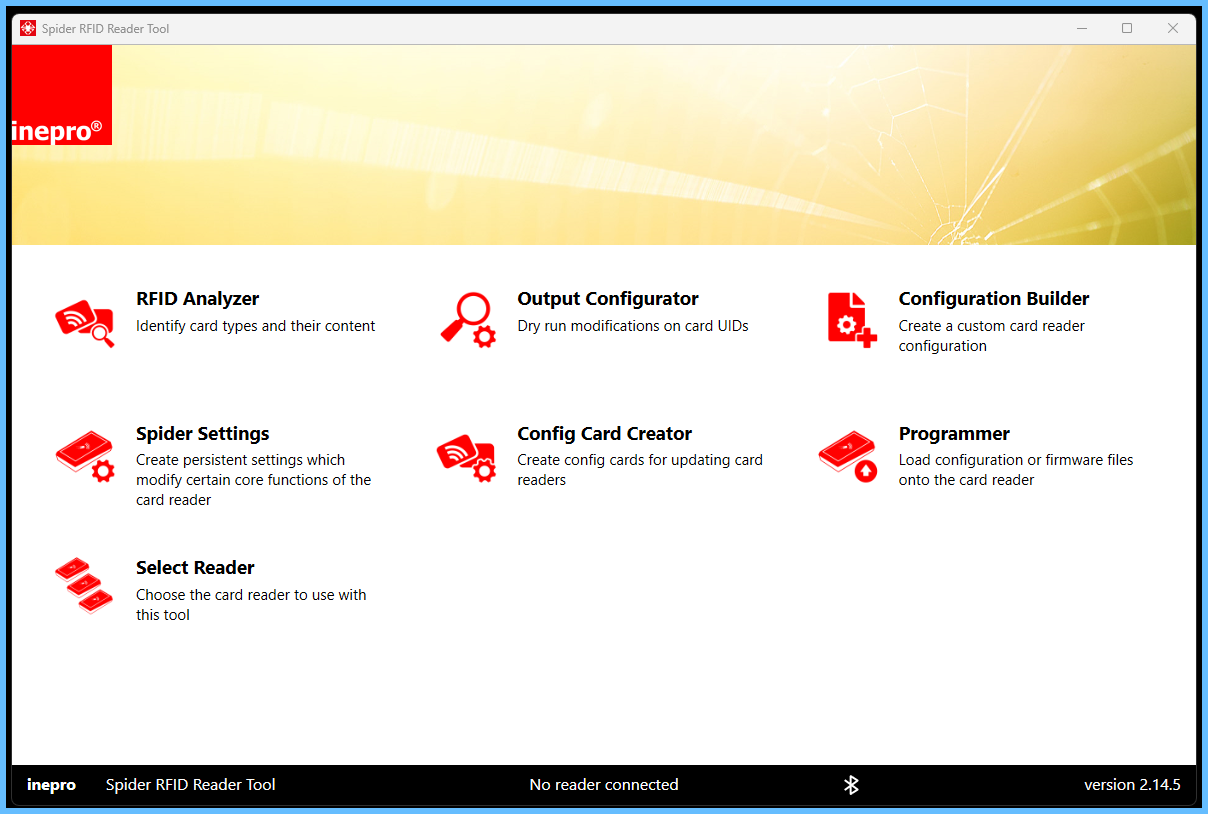
Inepro Spider Configuration Tools
FAQ
Certified card readers
What cards do we support
How much does it cost to buy readers
where can I buy readers
where can I buy Cyphercards
How much are the cyphercards
Was this article helpful?
That’s Great!
Thank you for your feedback
Sorry! We couldn't be helpful
Thank you for your feedback
Feedback sent
We appreciate your effort and will try to fix the article