No, If your company allows _Direct Print services then you can just send your print jobs directly to the _Direct shared printer.
If you want to prevent others from seeing your print job, you can add PIN/password protection. This lets you submit the job normally but release it later from the printer’s console no sign‑in required, just select Print → Print from Storage and enter your Pin/Passcode.
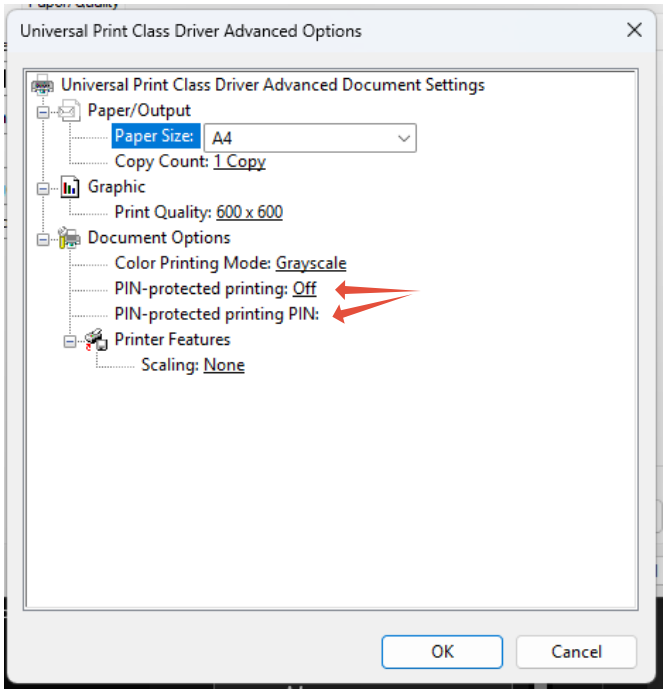
See following articles.
Can I pin protect or password protect my print jobs
What is pin protected Printing
Was this article helpful?
That’s Great!
Thank you for your feedback
Sorry! We couldn't be helpful
Thank you for your feedback
Feedback sent
We appreciate your effort and will try to fix the article